Everything about your account is in your account menu: Profile & Settings, Addresses and Payment Methods.
Your profile
- Open Profile & Settings. Under Profile Information, update your details and select Save Changes.
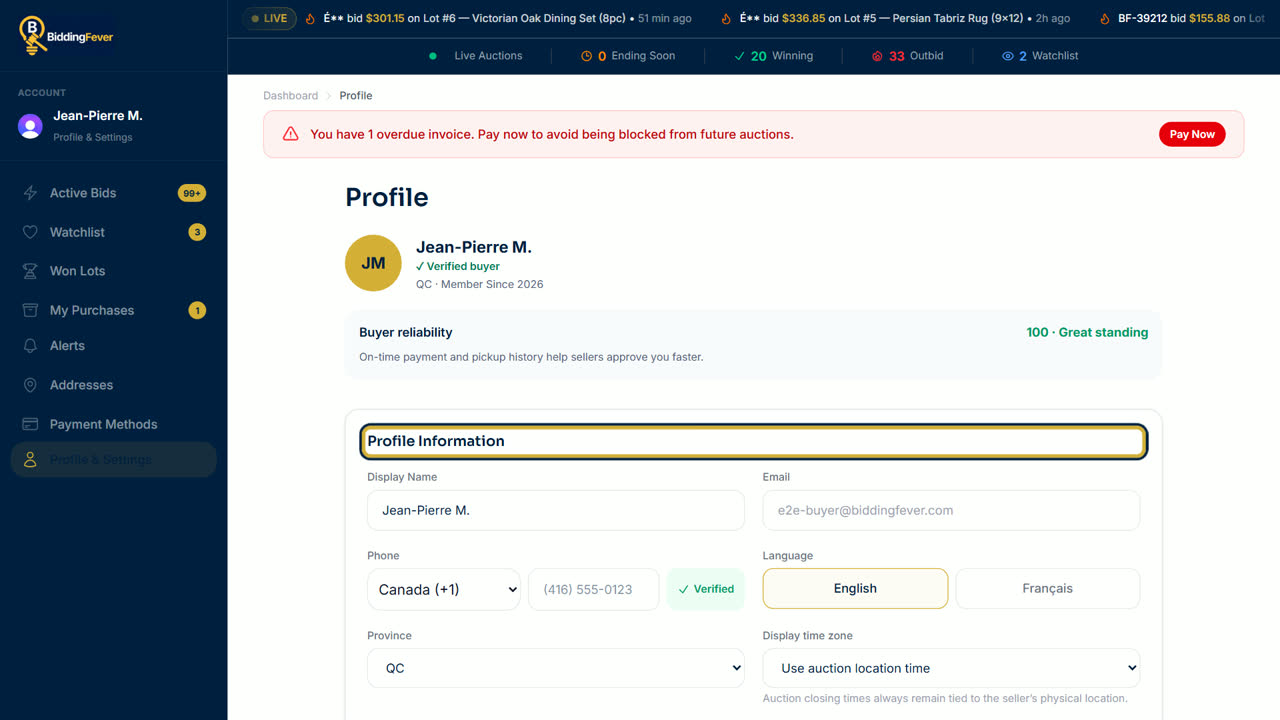
- To verify your phone number, select Verify next to it and enter the code we text you.
- Account Standing and Bidding Stats show how sellers see your history on the platform.
Cards and addresses
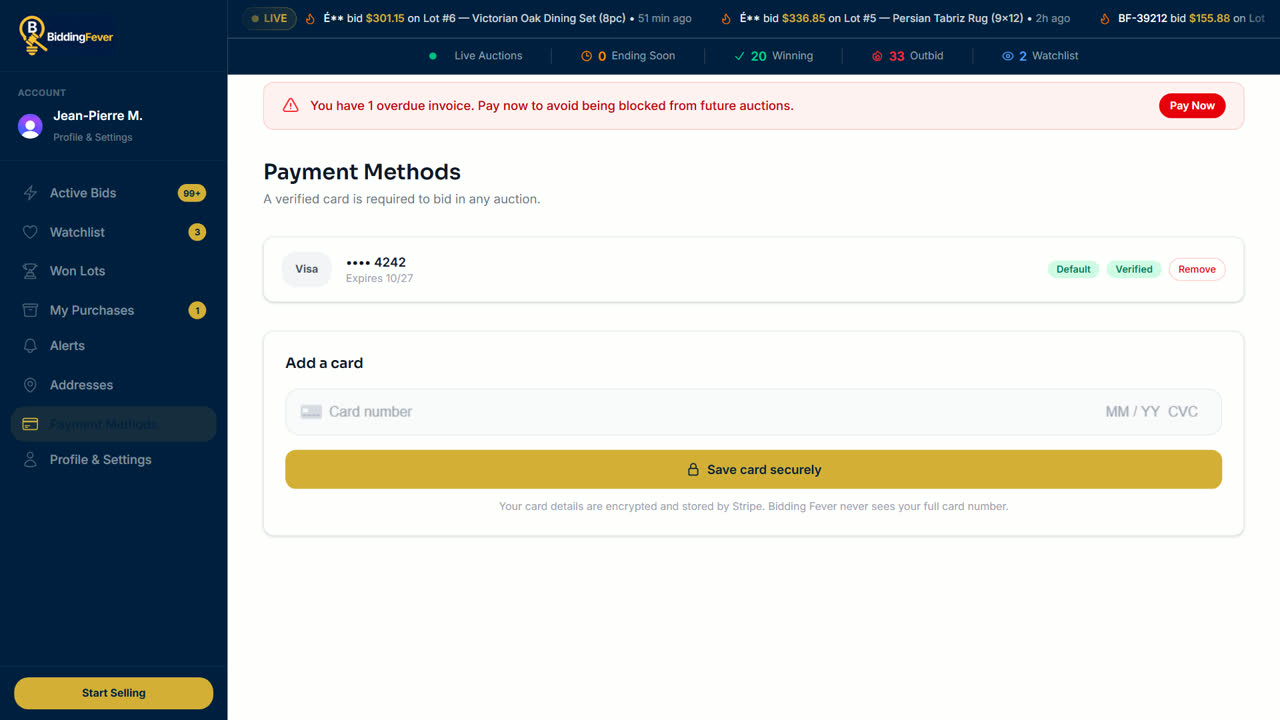
- Payment Methods lists your saved cards. Add a card there, or remove one you no longer use.
- Addresses keeps your shipping addresses for registration.
Your privacy choices
- If the site asks about cookies, choose to accept, reject or customize analytics cookies. You can change your choice any time with Cookie settings at the bottom of the page.
- Read how we use your information in our Privacy Policy, and the rules for bidding in our Bidder Terms.
Delete your account
- At the bottom of Profile & Settings, under Delete your Bidding Fever account, select Request deletion and confirm.
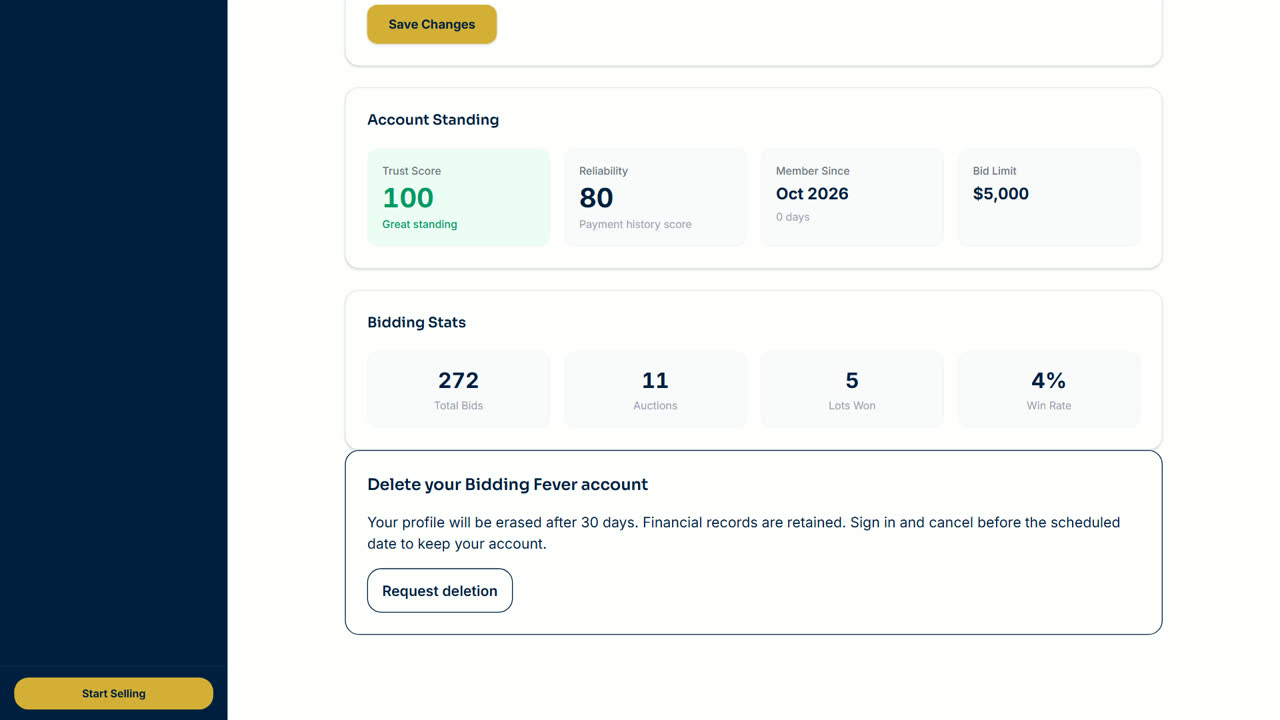
- Your profile is erased after 30 days. Financial records, disputes and obligations are kept.
- Changed your mind? Sign in before the scheduled date and select Cancel deletion.
Updated October 8, 2026