The live monitor, called the Auction War Room, gathers what is happening in one auction: bids, bidders, the value so far and the busiest lots.
Open it
- Open the auction from My Auctions.
- Select Enter Live Monitor at the top, or Live Monitor in the auction menu.
Read it
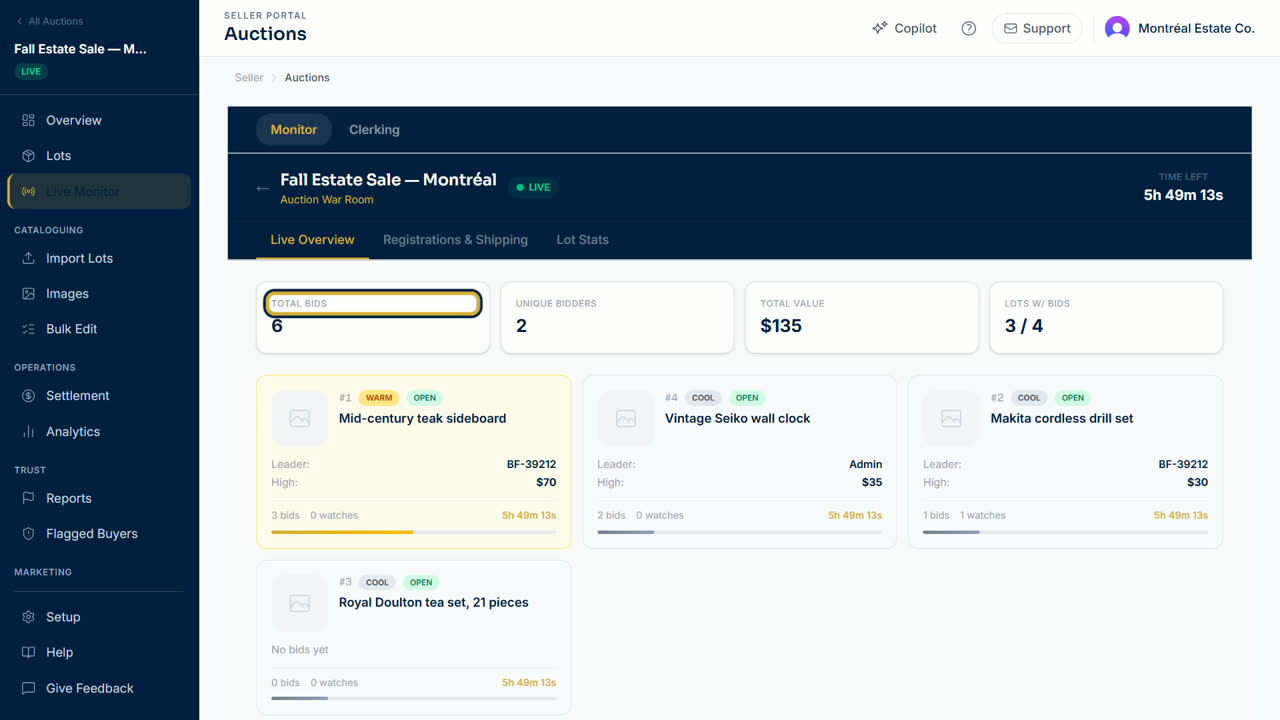
- The top shows the auction title, its status and Time Left before the auction ends.
- Live Overview shows Total Bids, Unique Bidders, Total Value and Lots with bids. Each lot card shows the leader, the high bid, the highest maximum bid and how hot the lot is right now: Cool, Warming, Hot, On fire or Fever. Heat is bid velocity — real bids in the last 15 minutes, with the last 5 minutes counting double — so a lot cools back down when bidding goes quiet.
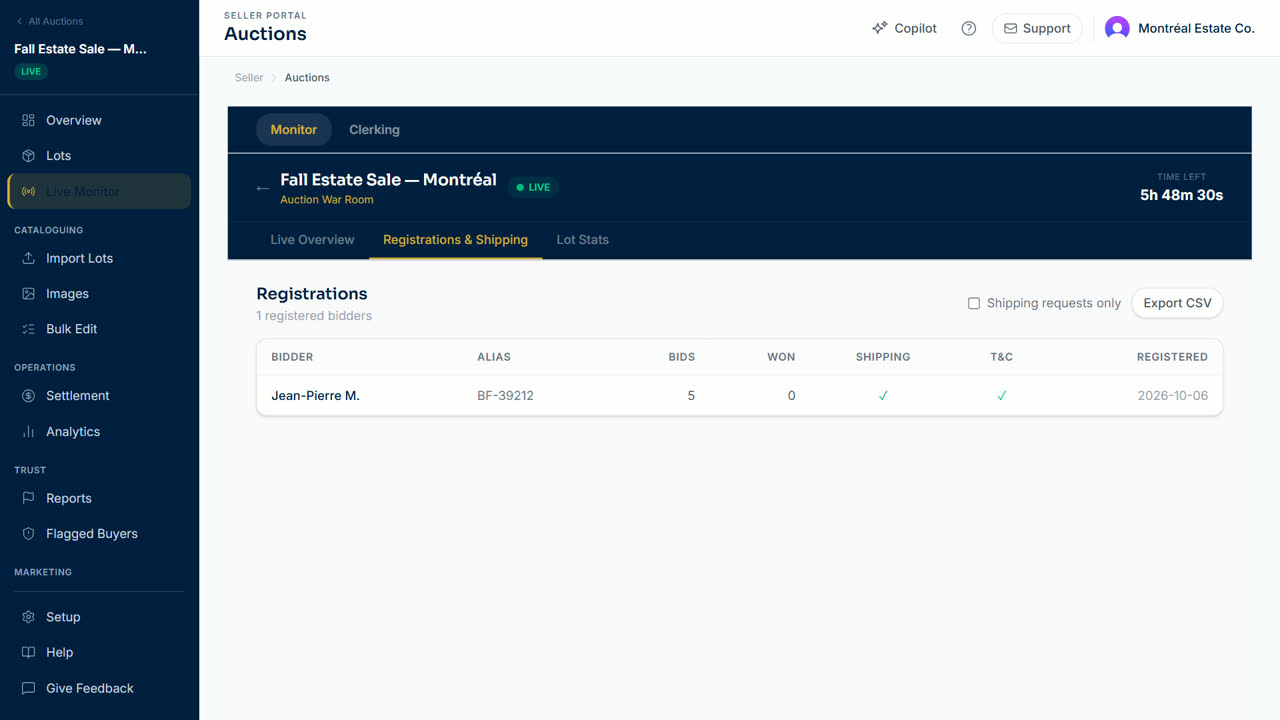
- Registrations & Shipping lists every registered bidder, their bids and wins, and whether they asked for shipping. Tick Shipping requests only to filter, and select Export CSV to download the list.
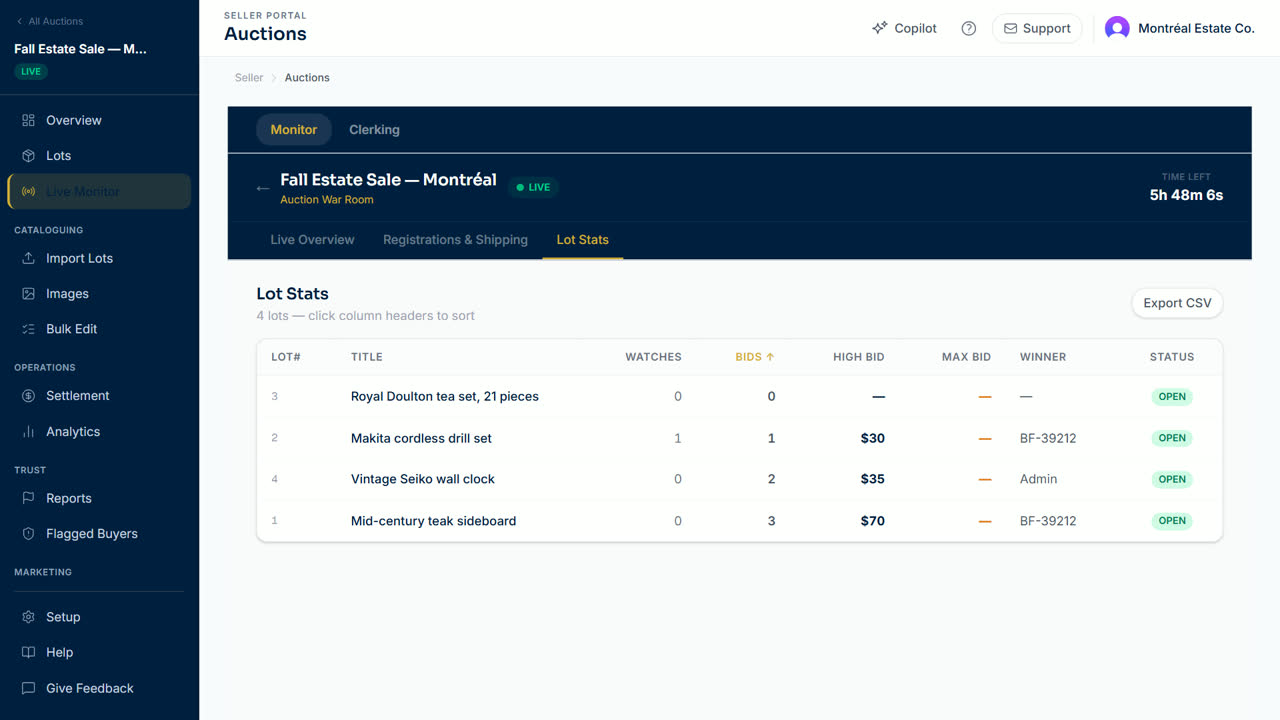
- Lot Stats lists each lot with watches, bids, high bid and maximum bid. Select a column title to sort, and Export CSV to download.
Tip: the figures are a snapshot of when the page opened. Reload the page to see the newest bids. Only the Time Left counter moves on its own.
Webcast auctions
For a live webcast auction, switch to Clerking at the top while the auction is live. It lets you record floor bids and mark each lot sold, passed or withdrawn.
Updated October 8, 2026